
Smart Home Setup: From $0 to Full Automation

Alex Rivera
February 13, 2026
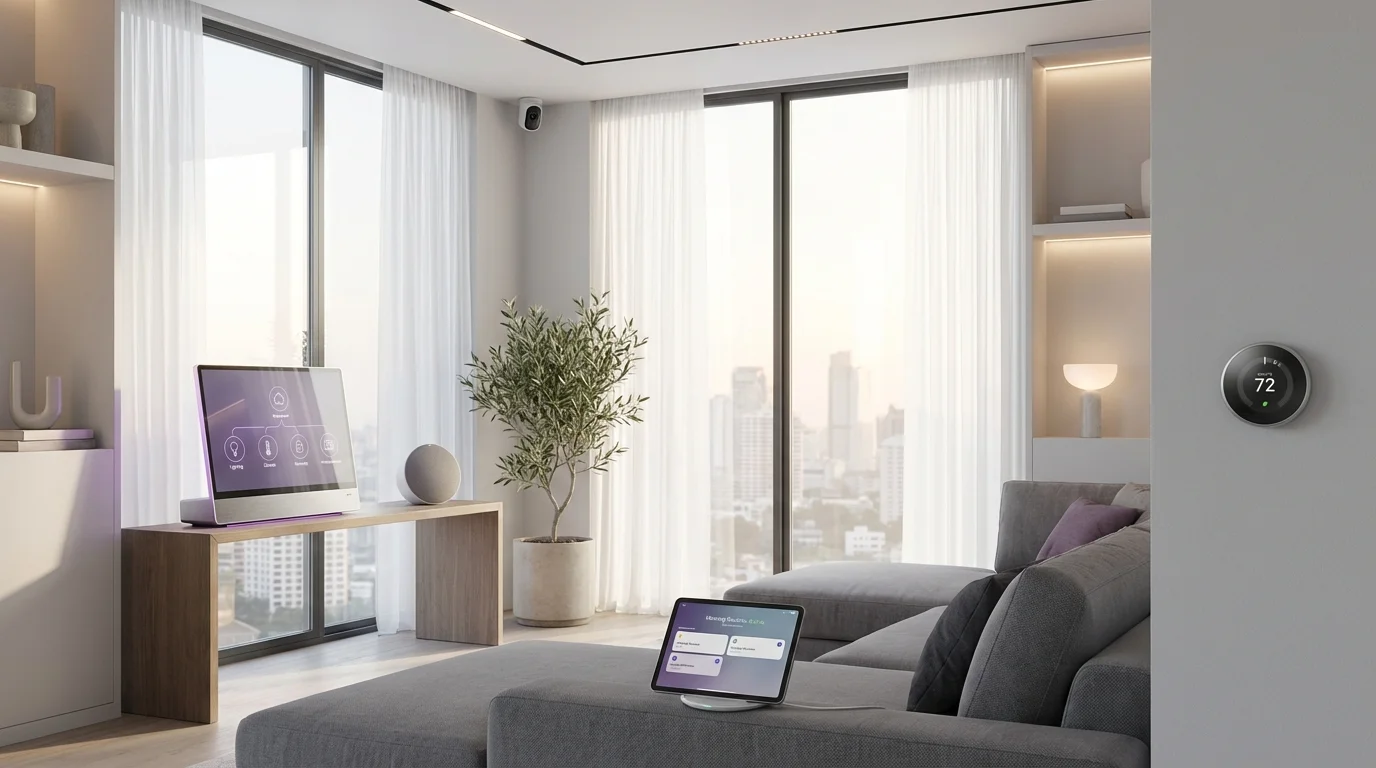
The smart home has finally delivered on its promise. For years, building a connected home meant navigating incompatible ecosystems, dealing with unreliable devices, and spending hours troubleshooting connections that should just work. In 2026, thanks to the Matter protocol and mature ecosystems from Apple, Google, and Amazon, creating a genuinely smart home is more accessible, reliable, and affordable than ever before.
Whether you are starting from scratch or looking to expand an existing setup, this guide takes you from the fundamentals to advanced automation. You will learn how to choose the right ecosystem, pick the best devices for each room, create automation routines that save time and energy, and avoid the common mistakes that frustrate new smart home users.
Understanding the Smart Home Landscape in 2026
The Matter Protocol: The Game Changer
The single most important development in smart home technology is the Matter protocol. Developed by the Connectivity Standards Alliance (which includes Apple, Google, Amazon, Samsung, and over 500 other companies), Matter is an open standard that allows smart home devices from different manufacturers to work together seamlessly.
Before Matter, buying a smart home device meant checking whether it was compatible with your specific ecosystem — HomeKit, Google Home, Alexa, or SmartThings. Devices that worked with one platform often did not work with others. Matter eliminates this problem. A Matter-certified device works with every major platform out of the box.
Key benefits of Matter:
- Universal compatibility: Buy any Matter device and it works with Apple Home, Google Home, Amazon Alexa, and Samsung SmartThings
- Local control: Matter devices communicate locally over your home network, reducing dependence on cloud servers and improving responsiveness
- Improved reliability: Local communication means your devices work even if your internet connection goes down
- Simplified setup: Matter uses a standard setup process across all devices — scan a QR code and the device is added to your home
- Thread networking: Many Matter devices use Thread, a low-power mesh networking protocol that gets stronger and more reliable as you add more devices
By 2026, the vast majority of new smart home devices support Matter. When shopping for devices, look for the Matter logo on the packaging. While older non-Matter devices still work through their respective ecosystems, buying Matter-certified devices future-proofs your investment.
Choosing Your Smart Home Ecosystem
Even with Matter providing interoperability, you still need a primary ecosystem and hub to serve as the brain of your smart home. Your choice should be based on what phones and computers you and your household already use.
Apple Home (Best for Apple households)
If everyone in your home uses iPhones, iPads, and Macs, Apple Home is the natural choice. It offers the best privacy protections of any smart home platform — all processing happens locally on your Apple devices, and HomeKit Secure Video stores camera footage encrypted in iCloud. The Home app is clean and intuitive, and Siri integration is seamless.
The main limitation is that Apple Home has historically supported fewer devices than competing platforms, though Matter has largely resolved this. You need an Apple TV 4K or HomePod (mini or full-size) as a home hub.
Google Home (Best for mixed households and AI features)
Google Home has made significant improvements in 2025-2026, with a redesigned app and deep integration with Gemini AI. Google Assistant is the most capable voice assistant for answering questions and understanding complex requests. The platform works well across Android and iOS devices.
Google Home hubs include any Google Nest speaker, Nest Hub display, or Nest Wi-Fi router. The Nest Hub Max doubles as a security camera and smart display, making it a versatile hub choice.
Amazon Alexa (Best for budget setups and skills ecosystem)
Amazon's Alexa ecosystem has the widest range of compatible devices and the largest library of third-party "skills" (voice-activated apps). Echo devices are frequently discounted, making Alexa the most affordable entry point. Alexa also integrates well with Amazon's shopping and entertainment services.
The Echo Hub, a wall-mounted smart display, is a compelling dedicated control point for Alexa-based smart homes. Any Echo device can serve as a hub.
Samsung SmartThings (Best for Samsung appliance households)
If you have Samsung appliances (refrigerator, washer, dryer, TV), SmartThings provides the tightest integration. The SmartThings hub supports Matter, Zigbee, and Z-Wave protocols, giving it the broadest device compatibility of any single hub. The platform is also popular with advanced users for its powerful automation capabilities.
Essential Smart Home Devices: Where to Start
Smart Lighting: The Best Starting Point
Smart lighting is the ideal first step into the smart home. It is affordable, immediately useful, and does not require any electrical work. The daily benefit of voice-controlled or automated lighting is tangible from day one.
Smart bulbs are the simplest option — replace your existing bulbs with smart ones. Philips Hue remains the premium choice with the best color accuracy, reliability, and app experience, though it requires a Hue Bridge hub. For a more affordable Matter-native option, Nanoleaf Essentials bulbs work directly with any Matter controller without a separate hub.
Smart switches are a better long-term investment than smart bulbs. They replace your existing wall switches and make every bulb connected to that switch smart. This means you can use any regular bulb (which is cheaper) and the switch always works for everyone, including guests who do not have the app. Lutron Caseta is the gold standard for reliability, though it requires a Lutron hub. For Matter-native options, look for Eve Light Switch or TP-Link Kasa switches.
Practical tip: Start with the rooms where you will benefit most — typically the living room, bedroom, and kitchen. Automate your most common patterns first: lights on at sunset, lights off at bedtime, motion-activated lighting in hallways and bathrooms.
Smart Thermostat: The Biggest Money Saver
A smart thermostat is often the single device that saves the most money in a smart home. By learning your schedule and adjusting temperature automatically, a smart thermostat can reduce heating and cooling costs by 10-15% per year, paying for itself within months.
Ecobee Premium is the top recommendation for 2026. It includes a built-in air quality monitor, Siri and Alexa support, SmartSensor for room-by-room temperature management, and Matter compatibility. The inclusion of remote sensors means you can prioritize the temperature in occupied rooms rather than wherever the thermostat happens to be installed.
Google Nest Learning Thermostat (4th generation, 2024) features a beautiful redesigned display, Matter support, and Google's machine learning algorithms that learn your preferences over time. It is the best choice for Google Home households.
Amazon Smart Thermostat is a budget option at around $80 that provides basic smart thermostat functionality with Alexa integration. It lacks the advanced features of Ecobee or Nest but is sufficient for straightforward heating and cooling schedules.
Installation note: Most smart thermostats require a C-wire (common wire) for power. Check your existing thermostat wiring before purchasing. If you do not have a C-wire, Ecobee includes a power extender kit that works with most systems.
Smart Locks: Convenience and Security
Smart locks eliminate the need for physical keys while providing detailed access logs and remote control. They are especially valuable for families, rental properties, and anyone who has ever been locked out.
Yale Assure Lock 2 with Matter support is the top recommendation. It offers a touchscreen keypad, auto-lock and auto-unlock based on your phone's proximity, and integration with all major platforms through Matter. The DoorSense feature confirms whether the door is actually closed and locked.
August Wi-Fi Smart Lock (4th generation) installs over your existing deadbolt, so you keep your physical keys as a backup. It has a compact design, auto-lock/unlock, and integrates well with all platforms. The retrofit installation takes about 10 minutes and requires no tools.
Practical security tip: Always enable auto-lock with a reasonable timeout (30 seconds to 2 minutes after the door closes). Create unique access codes for family members, housekeepers, and guests rather than sharing a single code. Delete codes when they are no longer needed.
Smart Cameras and Doorbells: Eyes on Your Home
Smart cameras and video doorbells are among the most popular smart home devices, providing security and peace of mind.
Video doorbells: Ring Video Doorbell 4 and Google Nest Doorbell (battery) are the market leaders. Both offer excellent video quality, motion detection, two-way audio, and package detection. The Nest Doorbell uses on-device AI for person, package, animal, and vehicle detection without a subscription. Ring requires a Ring Protect subscription for video history.
Indoor cameras: The best indoor cameras for 2026 include the Google Nest Cam (indoor, wired) for Google Home users, the Eve Cam for Apple Home users who want local HomeKit Secure Video storage, and the TP-Link Tapo C120 as a budget option with excellent image quality.
Outdoor cameras: For outdoor monitoring, the Arlo Pro 5S is the best wire-free option with excellent night vision, 2K resolution, and a built-in spotlight. The Google Nest Cam (outdoor, wired) is a strong choice for Google Home households.
Privacy considerations: Indoor cameras raise legitimate privacy concerns. Consider using cameras only in common areas, not bedrooms or private spaces. Use cameras with local storage options (like HomeKit Secure Video or cameras with microSD slots) instead of cloud-only solutions when possible. Always inform household members and guests about camera locations.
Smart Speakers and Displays: The Control Center
Smart speakers and displays serve as voice control hubs and information centers for your smart home.
Apple HomePod (2nd generation) or HomePod mini are the obvious choice for Apple households. The full-size HomePod offers excellent sound quality and serves as a Thread border router and Matter controller. The HomePod mini provides the same smart home functionality in a more compact, affordable package.
Amazon Echo (5th generation) or Echo Pop provide Alexa voice control with good sound quality. The Echo Hub is a wall-mounted touchscreen that serves as a dedicated smart home control panel.
Google Nest Hub (2nd generation) or Nest Hub Max combine a smart speaker with a touchscreen display, showing camera feeds, weather, calendar, and smart home controls at a glance. The Nest Hub also doubles as a digital photo frame and an alarm clock with sleep tracking.
Placement advice: Place a smart speaker or display in each main room — kitchen, living room, bedroom. The kitchen is often the most valuable location for a smart display, as you can use it for recipes, timers, and video calls while cooking.
Automation Routines: Making Your Home Truly Smart
What Makes a Home Smart vs. Connected
A connected home has devices you can control with your phone or voice. A smart home has devices that act intelligently on their own based on conditions, schedules, and your behavior. The difference is automation — routines that run without your intervention.
Essential Routines to Set Up
Good Morning Routine
Trigger: Alarm dismissal or a specific time on weekdays
Actions:
- Gradually increase bedroom lights to simulate sunrise (15 minutes before alarm)
- Set thermostat to comfortable daytime temperature
- Turn on kitchen lights
- Start coffee maker (if using a smart plug with your coffee maker)
- Read morning weather and calendar through smart speaker
Away from Home Routine
Trigger: Everyone's phone leaves the geofence around your home (or a manual trigger)
Actions:
- Turn off all interior lights
- Set thermostat to eco/away mode
- Lock all smart locks
- Arm security cameras and enable motion alerts
- Turn off smart plugs for devices that should not run unattended
Welcome Home Routine
Trigger: First person's phone enters the geofence around your home
Actions:
- Turn on entryway and living room lights
- Set thermostat to comfortable temperature
- Unlock front door (optional, consider security implications)
- Disarm interior cameras
- Play ambient music through smart speakers
Bedtime Routine
Trigger: Voice command ("Good night") or a specific time
Actions:
- Turn off all lights except nightlights in hallways
- Lock all doors
- Set thermostat to sleep temperature (typically 65-68 degrees Fahrenheit)
- Arm exterior cameras and doorbell notifications
- Set bedroom smart display to Do Not Disturb mode
Motion-Based Lighting
Trigger: Motion detected by a sensor
Actions:
- Turn on lights in the room where motion is detected
- Set brightness based on time of day (dimmer at night)
- Turn off lights after 5 minutes of no motion
This is one of the most satisfying automations — lights that just work without you touching a switch or saying a word.
Advanced Automation Tips
Conditional logic. Use conditions to make automations smarter. For example, motion-activated lights should only turn on when it is dark outside or when the room lights are currently off. The "Welcome Home" routine should only adjust the thermostat if it is more than 5 degrees away from the target temperature.
Scenes. Create scenes — predefined combinations of device states — for common situations. A "Movie Night" scene might dim the living room lights to 10%, close smart blinds, turn on the TV, and set the soundbar to movie mode. Scenes can be triggered by voice, a button press, or as part of an automation.
NFC tags. Place programmable NFC tags around your home. Tap your phone to an NFC tag by the front door to trigger your "Leaving Home" routine. Place one on your nightstand to trigger "Bedtime" mode. NFC tags cost pennies each and add physical trigger points throughout your home.
Security Considerations
Securing Your Smart Home Network
Every smart device on your network is a potential entry point for attackers. Take these steps to secure your smart home:
Use a separate Wi-Fi network. Most modern routers support guest networks or VLANs. Put your smart home devices on a separate network from your computers and phones. This way, if a smart device is compromised, the attacker cannot access your personal devices.
Keep firmware updated. Smart device manufacturers regularly release security patches. Enable automatic updates where available, and periodically check for updates on devices that require manual updating.
Use strong, unique passwords. Every smart home account (and your Wi-Fi network) should have a strong, unique password. Use a password manager to handle this. Enable two-factor authentication on every smart home account that offers it.
Change default settings. Many devices ship with default passwords, open ports, or unnecessary features enabled. Review the settings of every new device and disable anything you do not need.
Buy from reputable brands. The cheapest no-name smart devices from unknown manufacturers are more likely to have security vulnerabilities, phone home to unknown servers, and stop receiving updates. Invest in reputable brands that have a track record of security updates.
Physical Security
Smart locks and cameras should supplement, not replace, good physical security practices. Ensure your doors have solid frames and deadbolts. Position cameras to cover entry points and driveways. Consider that smart devices depend on power and Wi-Fi — have a plan for when either fails.
Battery backup: A UPS (uninterruptible power supply) for your router and smart home hub ensures your automations and security devices continue working during brief power outages.
Budget-Friendly Approach
The Under-$300 Starter Kit
You do not need to spend thousands to start a smart home. Here is a practical starter setup for under $300:
| Device | Approximate Cost |
|---|---|
| Smart speaker/hub (Echo Pop or Google Nest Mini) | $30-50 |
| 4x Smart bulbs (TP-Link Tapo L530E or Nanoleaf Essentials) | $40-60 |
| Smart thermostat (Amazon Smart Thermostat) | $60-80 |
| 2x Smart plugs (TP-Link Kasa or Meross Matter) | $20-30 |
| Video doorbell (Reolink Doorbell WiFi) | $80-100 |
| Total | $230-$320 |
Prioritize by Impact
If you are on a tight budget, add devices in this order based on daily impact:
- Smart speaker — voice control makes everything more useful
- Smart lighting for your most-used room — immediate daily benefit
- Smart thermostat — saves money over time, paying for itself
- Smart plugs — make dumb devices smart (lamps, fans, coffee maker)
- Video doorbell — security and convenience for package deliveries
- Smart lock — convenience of keyless entry
- Additional lighting and sensors — expand room by room
Save Money with Smart Plugs
Smart plugs are the most versatile and affordable smart home devices. A $15 smart plug can turn any device with a physical on/off switch into a smart device:
- Lamps: Schedule and voice-control traditional lamps without buying smart bulbs
- Fans: Turn fans on and off based on temperature or schedule
- Coffee maker: Have your coffee ready when you wake up (use a coffee maker with a physical on/off switch)
- Holiday lights: Schedule seasonal decorations automatically
- Space heaters: Set safety timers and schedules (ensure the plug can handle the wattage)
Troubleshooting Common Issues
Device Not Responding
The most common smart home issue is a device that stops responding. Try these steps in order:
- Check your Wi-Fi — is the internet working on other devices?
- Check if the device is still connected to Wi-Fi (most apps show connection status)
- Power cycle the device (unplug for 10 seconds, plug back in)
- Move the device closer to your router or add a mesh Wi-Fi node
- Update the device firmware through the manufacturer's app
- Remove and re-add the device to your smart home platform
Slow Response Times
If devices respond slowly (more than 1-2 seconds after a command):
- Check your Wi-Fi network for congestion — too many devices on one access point
- Use Thread or Zigbee devices instead of Wi-Fi where possible (they use a separate mesh network)
- Ensure your smart home hub is placed centrally with good Wi-Fi coverage
- Reduce the number of cloud-dependent automations in favor of local processing
Automation Not Triggering
If a routine does not run when expected:
- Verify that all conditions are met (check each trigger and condition individually)
- Ensure location services are enabled if using geofencing triggers
- Check that the devices in the routine are online and responsive
- Verify time zone settings in your smart home app
- Check for conflicting automations that might override each other
Looking Forward: Smart Home Trends for 2026-2027
Matter 2.0 and beyond. The next versions of Matter will add support for more device types including robot vacuums, smart appliances, cameras (a major gap in Matter 1.0), and energy management devices. This will further unify the smart home ecosystem.
AI-powered automation. Smart home platforms are beginning to use AI to suggest and create automations based on your behavior patterns. Google Home's AI features can now detect anomalies (like a door left unlocked at an unusual time) and suggest corrective actions.
Energy management. Smart home energy management — integrating solar panels, battery storage, EV chargers, and smart appliances to optimize energy use and cost — is becoming a major focus area. Expect to see more devices that help you shift energy-intensive tasks to off-peak hours.
Health and wellness. Smart home sensors that monitor air quality, humidity, temperature, noise levels, and even sleep patterns are becoming more sophisticated. These sensors can trigger automations that improve your home environment automatically — adjusting ventilation when CO2 levels rise or dimming lights to support your circadian rhythm.
Conclusion
Building a smart home in 2026 is easier, more affordable, and more rewarding than ever. The Matter protocol has solved the compatibility nightmare that plagued earlier generations of smart home technology. Devices from different manufacturers work together reliably. And the ecosystem of smart speakers, sensors, lights, locks, cameras, and thermostats has matured to the point where the technology genuinely fades into the background — it just works.
Start small, automate what matters most to you, and expand gradually. A smart home is not built in a day. Begin with a smart speaker and a few lights, add a thermostat and some plugs, then grow from there as you discover what automations improve your daily life. The best smart home is not the one with the most devices — it is the one that makes your life easier without requiring you to think about it.
Your home should work for you. In 2026, it finally can.